Two federal sources, two different questions
When a military member asks what certification should I get, there are two federal datasets behind most of the answers you will see:
- CareerOneStop's Certification Finder — a Department of Labor–sponsored database that links certifications to civilian occupations. Its bulk download says of itself: “Certifications data is compiled and maintained by CareerOneStop.” The edition WheelsUp holds is the July 2026 download.
- DoD COOL — the Department's own portal, which links credentials to military occupations. In its own words: “COOL provides Service members and civil service personnel with information on certifications and licenses, apprenticeships and civilian occupations related to their jobs.”
The first answers which certifications go with this civilian job. The second answers which credentials relate to my military job. You usually need both, and neither one answers the question you are really asking — whether a particular certificate will get you hired.
What related actually means
The catch is the word itself. In CareerOneStop's data, the link is a row in a table called CERT_ONET_ASSIGN: a certification ID, an O*NET occupation code, an active flag, and a one-letter RELATION code (the published sample rows carry D and I). That row says CareerOneStop connects the two. It does not say the certification is required for the job, and nothing in the download says so.
COOL describes its own linkage the same way — by comparing duties, not by surveying hiring requirements: “Credentials may be related to most or some of the major duties of a military or civil service occupation.”
So a list of fifty related certifications is not fifty things you need. It is a map of the credentials that exist in the neighborhood of a job, and your work is to find the few that the employers you want actually ask for.
Two more things the data carries that are easy to misread:
- Requirement flags are about the certificate, not the job. Each certification record has fields for TRAINING, EXPERIENCE, EITHER and EXAM, plus a RENEWAL column and three companions (CEU, REEXAM, CPD). By their names they describe the certificate — what it takes to earn and keep it — not the job.
- Markers are CareerOneStop's own labels. A small table of marker agencies includes a military one, described as “This certification is related to military occupational specialties.”, alongside In-demand, Industry-Endorsed, Job Corps and accreditation markers (NCCA, ANAB, ICAC).
DoD COOL, as far as its own page says
COOL is not one site. O*NET's crosswalk page lists DOD COOL branch-specific sites (Air Force, Army, Coast Guard, Marine Corps, Navy), and COOL's own portal describes its COOL link as “a direct link to the specific MOC page from the COOL website for the associated Service or civil service.” Its research page adds that “Space Force occupations are currently listed with Air Force occupations.”
COOL's credential tables carry columns worth knowing before you pick anything:
| COOL column | What its legend says |
|---|---|
| Agency | The certifying body that administers the program and certifies that individuals meet its requirements. |
| In Demand | CareerOneStop's analysis indicates the certification is “frequently mentioned in online job postings”. |
| GI Bill | “Reimbursement for exam fees has been approved for payment through the GI Bill for the credentials with the GI Bill icon in this column.” |
| Accreditation | Accredited by ANAB (ANSI), NCCA, ICAC, ABSNC or IAS. |
| Credential Type | National certification, federal license, or state license. |
| Related Services | Links to a service's COOL site, or the COOL site for civil service, opening at a snapshot page listing the occupations mapped to the credential and, where available, its requirements. |
COOL also lets you filter by personnel category — enlisted, officer, or both — so an officer is not stuck with an enlisted-only list.
Your education center is the other half of the conversation. DoDI 1322.25 lists, among the outcomes of the education counseling it requires, “Discussion and review of technical credentials that can be obtained concurrent to academic pursuits.” It also allows each service to apply tuition assistance “For courses leading to a certificate or required for a credentialing program.” — within caps, and under service-specific rules, so ask what yours are.
How to check a certification before you pay for it
Run every candidate through the same questions. Each one maps to something the federal data actually records.
- Who issues it? COOL's Agency column names the certifying body. Look the body up yourself and read its requirements from the source.
- Is it accredited? COOL explains: “Accreditation is the process by which a credentialing or educational program is evaluated against defined standards, and if it meets these standards, is awarded recognition by a third party.” Its legend adds that “ANAB accreditation tells you that the credential meets documented standards of quality.”
- Is it a certification or a license? A state license is a different animal from a national certification — the credential-type column tells you which you are looking at.
- What does it take? Check the training, experience and exam requirements, and whether your military experience is accepted toward them. The flags tell you a requirement exists; only the issuer can tell you what satisfies it.
- How is it kept? Check whether, and how often, it has to be renewed — the record carries renewal fields, and the issuer sets the terms. Budget for renewal, not just the first exam.
- Do employers ask for it? The In Demand flag is a signal from job-posting analysis, not a guarantee. Read the postings for the jobs you want.
- Who pays? Look for COOL's GI Bill icon, and ask your education office whether tuition assistance applies under your service's rules before you spend your own money.
- Is it still live? Find it on CareerOneStop's own Certification Finder or COOL. If you cannot, treat any list that recommended it with suspicion.
What the data cannot tell you: none of the seven tables in the CareerOneStop download has a column for cost, pass rate or wages. Those questions go to the issuer and to the market.
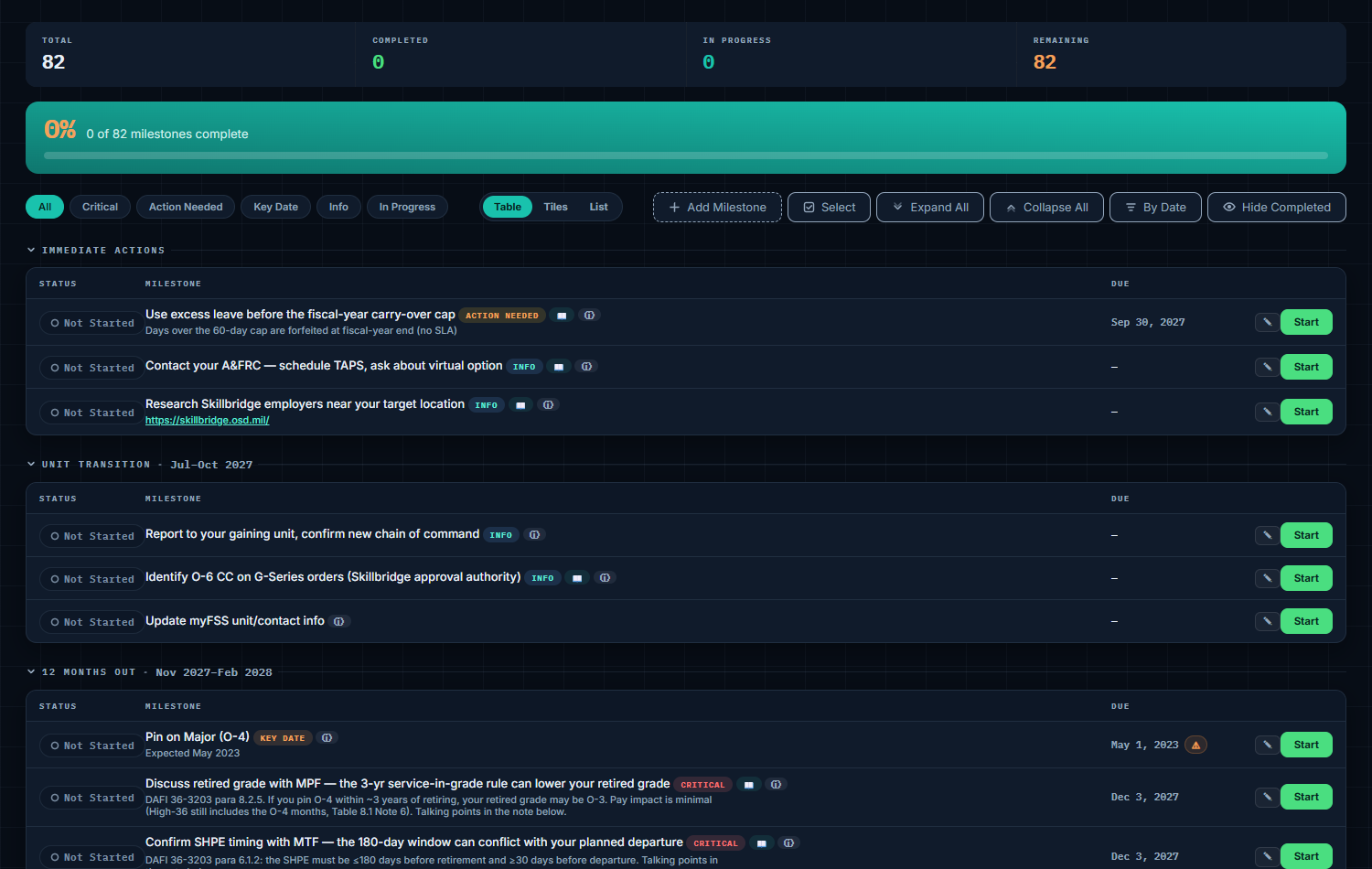
WheelsUp's milestone checklist keeps every transition deadline on one list, each with its status and due date, most with the rule it comes from — and you can add your own, so a certification exam you mean to sit before you separate gets a date instead of staying an intention.
What the Career Translator shows
The WheelsUp Career Translator (a Pro tool) looks up your military code in the federal crosswalk, shows the closest civilian careers, and then lists the certifications CareerOneStop relates to each of those careers. How it presents them:
- It never says required. The card says what the data is: certifications CareerOneStop lists for the occupation, with a line stating that none is said to be required for the job.
- It shows the real total. Each career shows a few certifications and a line stating how many are shown out of how many CareerOneStop lists for that occupation, with a link to that occupation's results in the Certification Finder, so a short preview never reads as the whole list.
- Each certification carries the source's own chips: the certifying organization, whether training, experience or an exam is required to earn it, how often it renews, and a badge when it carries CareerOneStop's military marker.
- Ordering is the markers', not ours: certifications with the military marker come first, then ones carrying an accreditation or another CareerOneStop marker. It adds no WheelsUp ranking.
- An empty answer is said out loud. When CareerOneStop lists no certification for an occupation, the page says that is what the federal file records — plenty of work has no certification attached.
- It points you to your service's COOL: Air Force COOL for Air Force and Space Force members, DoD COOL for the other services.
- It credits the data by name, naming CareerOneStop, the Department of Labor's Employment and Training Administration and the Minnesota Department of Employment and Economic Development, with the edition on the page.
For how the career list itself is built, see our crosswalk guide.
The short checklist
- Pick target jobs first, certifications second — a related certification only matters if the job does.
- Pull the related list for each target occupation from CareerOneStop, and for your military code from your service's COOL.
- Cross off anything you cannot find on the live finders.
- Check issuer, accreditation, type, requirements and renewal for what is left.
- Read real job postings to see which ones employers name.
- Ask your education office about funding before paying out of pocket, and look for COOL's GI Bill icon.
- Put the exam date on your plan — early enough to finish before you separate.
Sources
- CareerOneStop, Certifications Data Download, July 2026 — the readme; CREATE TABLE schemas for CERT_ORGS and CERTIFICATIONS (including the TRAINING, EXPERIENCE, EITHER, EXAM, RENEWAL, CEU, REEXAM, CPD, SUPPRESS and DELETED columns) and CERT_ONET_ASSIGN (ONETCODE, ACTIVE_YN, RELATION); the CERT_ACC_AGENCY marker rows; the zip manifest (seven SQL tables)
- DoD COOL, Research Military Occupations — the Related Civilian Credentials description, the Credential Table Legend (Agency, In Demand, GI Bill, Accreditation, Credential Type, Related To, Related Services), the COOL Link legend, and the Space Force listing note
- O*NET Resource Center, Crosswalks page — the DoD COOL branch-specific sites named among the military search's sources
- DoDI 1322.25, Voluntary Education Programs (Change 4) — Encl. 3: education-services outcomes including review of technical credentials; service-specific TA for courses leading to a certificate or required for a credentialing program
Spot an error? Tell us — citations are the product here.
The credential, the career and the date, in one plan. WheelsUp's Pro Career Translator shows what the federal data actually says about your job — and every WheelsUp plan back-plans the deadlines that decide whether you finish in time.